
First look · Mac
MySudo Password for Safari
Keep Safari logins organised around separate Sudo identities
New to our coverage: apps worth understanding before you install. Inclusion here does not imply a recent release.
Keep Safari logins organised around separate Sudo identities
An IPTV player for streams you already have permission to use
Turn a long recording into short-form drafts, then review the edit
Share a chosen circle’s location, with a pause control
Build a fictional cast and explore another branch of a conversation
A retailer loyalty app whose participating region needs checking
 MustInstall
Prepare DJ sets from existing library metadata and check what each export can preserve
 MustInstall
Track owned editions, reading and saved panels while keeping separate collection limits visible
 MustInstall
A tactile safe-dial game with a folding-phone control and a tilt alternative
 MustInstall
Count folding events after a required automation setup, with clear limits on recoverable history
 MustInstall
Explore aircraft, radio audio and airport context while keeping operational decisions outside the app
 MustInstall
Capture audio quickly, then distinguish free recording from internet-based transcription
 MustInstall
Organize screenshots with local text recognition and a map of shared tags
 MustInstall
Index selected screenshots locally, with a separate paid redaction-and-sharing workflow
 MustInstall
Save WeChat public-account articles into a local reading and export workflow
 MustInstall
Record from a script and time its own words as captions, with an ad gate for each export
 MustInstall
Treat a chart explanation as educational interpretation, not a trading signal
 MustInstall
Separate local Gemma chat from online search for current information
 MustInstall
Choose between provider websites and a supported unified inbox without merging account identities
 MustInstall
Windows power profiles whose actual effects need a controlled comparison
 MustInstall
Organization-created 3D equipment knowledge across PC and mixed reality
 MustInstall
A PC check register that prints onto existing US check paper
 MustInstall
 MustInstall
Local media playback with explicit codec and Premium boundaries
 MustInstall
Tournament records that need clear inputs and agreed scoring rules
 MustInstall
Free local journaling, with carefully separated sync and Focus access
 MustInstall
Quick expense capture with automation and on-device conditions to inspect
 MustInstall
Japanese reading with contextual word cards and optional synchronization
 MustInstall
A Wi-Fi remote to evaluate with your actual television
 MustInstall
Personal hours and leave, with a German-rule boundary
 MustInstall
One viewing library for provider sources you already have
 MustInstall
A cash-flow calendar whose answers depend on the plan you enter
 MustInstall
Plan the spare-device setup and understand which recordings a tier can play
 MustInstall
Discover a broadcast by its local hour, then check the stream itself
 MustInstall
Review the envelope plan before approving the next recurring entry
 MustInstall
 MustInstall
A private reading library still needs a clear import and copy-protection check
 MustInstall
Judge the free flight before collecting the wider world and music set
 MustInstall
 MustInstall
 MustInstall
Inspect the music workflow and hardware route before relying on a performance setup
 MustInstall
Select the relevant text and keep the translation route understandable
 MustInstall
A small tap changes the path; check the mode before judging the puzzle
 MustInstall
Read a route-time weather picture as a planning aid, never a navigation clearance
 MustInstall
Keep a spatial project board readable before adding live cards or an AI handoff
 MustInstall
 MustInstall
Read declared-area alert information as an unofficial map, never as a detector
 MustInstall
Choose audio stories and a timer without treating the player as a sleep treatment
 MustInstall
Inspect supported media before saving it, with YouTube downloading explicitly excluded
 MustInstall
A fictional lifetime shaped by country statistics, not a forecast of a real person
 MustInstall
Adult nearby discovery and chat, with paid access conditions kept separate from connection
 MustInstall
Generate local SRT drafts, then inspect words and timing before a client handoff
 MustInstall
Adult dating and private-album controls, with account deletion separate from billing
 MustInstall
Check subtitles and series access for the actual title, not just the catalog description
 MustInstall
Browse short episodic stories while keeping rewards separate from access terms
 MustInstall
Separate an internet throughput check from offline local-network status
 MustInstall
Nickname-based introductions that open a chat when a short signal receives a reply
 MustInstall
Coordinate gifts and contribution records without treating the app as a money-transfer service
 MustInstall
Design fictional characters and reuse them in interactive story scenarios
 MustInstall
 MustInstall
Stories and chats with anonymity limited to the recipient, not moderation
 MustInstall
Record a week without turning a missed day into a broken streak
 MustInstall
Inspect the source of a task before changing the shared timeline
 MustInstall
 MustInstall
 MustInstall
Choose a site-specific width mode for the iPhone Duo front screen
 MustInstall
Build a personal wallpaper from photos, type and decorative elements
 MustInstall
Distinguish a free event handoff from paid calendar collaboration
 MustInstall
Queue requests offline, then use an available connection to synchronise
 MustInstall
Keep today’s selected events visible without assuming a full planning suite
 MustInstall
Use terrain shading as a research clue, not permission or a buried-object scan
 MustInstall
Read an estimated Maldives chart without mistaking it for a survey
 MustInstall
 MustInstall
Learn the table, then choose a score or time challenge
 MustInstall
Keep existing calendar sync separate from iCloud to-do sync
 MustInstall
Review a scheduling request before it becomes an invitation
 MustInstall
Capture on Apple Watch, then choose what enters an optional AI workflow
 MustInstall
Build a phone draft while keeping detailed editing and credit access in view
 MustInstall
A local ordering intermediary needs its own delivery and payment checks
 MustInstall
Separate the free trail reference from Premium position and ride tracking
 MustInstall
Turn an episode into reviewable notes without losing the original timestamp
 MustInstall
 MustInstall
Build the sequence before polishing every slide
 MustInstall
Check the interpreted event before it becomes the shared commitment
 MustInstall
Separate a useful long capture from an unreviewed privacy promise
 MustInstall
Review the seam and the data route before sharing the long image
 MustInstall
Explore a performance archive with the listening route kept clear
 MustInstall
Choose the card game and the pace before chasing the collection
 MustInstall
 MustInstall
Treat the order confirmation as the start of a clear food-ordering handoff
 MustInstall
Set the lyric timing, then let the typography move
 MustInstall
Make a break cue fit the work without treating it as medical care
 MustInstall
Choose a generation route, then inspect what the model actually made
 MustInstall
A parent-configured canvas where small inputs create shapes, strokes and sounds
 MustInstall
Keep readable mail archives with separate backup, search and restore controls
 MustInstall
Organize an authorized playlist under a device license that does not renew automatically
 MustInstall
Bring owned video files and network sources into a poster-based library
 MustInstall
A twenty-five-minute focus timer with a persistent RPG hero
 MustInstall
Follow a spoken Markdown script while keeping the source files in your chosen folder
 MustInstall
An Xray-based proxy client for server configurations you supply
 MustInstall
One cloud-backed checklist, with optional AI access and a twenty-open-item free limit
 MustInstall
Place a readable script beneath the Mac camera, with manual scrolling control
 MustInstall
Collect internet radio stations and record a limited listening window for later
 MustInstall
 MustInstall
 MustInstall
Hide a visual region, then inspect the new video frame by frame
 MustInstall
Bring a compatible server library to an independent player
 MustInstall
 MustInstall
 MustInstall
Connect focused time with the work that actually earns it
 MustInstall
 MustInstall
Keep the recording, transcript and generated decisions distinct
 MustInstall
 MustInstall
 MustInstall
Keep library access and playback capability separate from content entitlement
 MustInstall
A floating camera view is one part of a presentation setup
 MustInstall
Keep the selected city and tradition visible in a daily calendar
 MustInstall
 MustInstall
 MustInstall
 MustInstall
Draft a clear search result without mistaking the preview for a promise
 MustInstall
 MustInstall
Remote instructions still run inside the Mac workspace
 MustInstall
Choose whether the script follows words, sound or a fixed pace
 MustInstall
 MustInstall
Combine tasks and calendars while keeping cloud-AI drafts and permissions explicit
 MustInstall
Write Health and personal-organizer records into a folder you control
 MustInstall
Stream classic books and podcasts without an app account or listening subscription
 MustInstall
Pair owned audiobooks with text and keep passages as reusable Moments
 MustInstall
Practice owned guitar tabs with note detection, loops and a wait-for-me mode
 MustInstall
A unified mailbox view with named helpers and service-held connection tokens
 MustInstall
A searchable record collection with MusicBrainz enrichment and cross-device access
 MustInstall
Give lyrics a structure before turning them into a shared sheet
 MustInstall
Organize mail around people while keeping follow-ups reviewable
 MustInstall
 MustInstall
Follow taps, holds and flicks through a rhythm challenge
 MustInstall
 MustInstall
Explore an image idea through prompts, styles and variations
 MustInstall
Revisit the journey your photographs can actually describe
 MustInstall
Order the places you know around the time you actually have
 MustInstall
Keep the flight picture organized while checking the operational source
 MustInstall
Know which build update is informational and which document is authoritative
 MustInstall
Follow a defined signal while keeping the original post close
 MustInstall
 MustInstall
Keep the vessel record useful before the next handoff
 MustInstall
 MustInstall
Keep a shared trip, its documents and expense records together for offline reference
 MustInstall
Turn saved travel clips into places, then review the itinerary against real bookings
 MustInstall
One shared itinerary with booking documents, group conversation and provider handoffs
 MustInstall
Build personalised widgets from useful numbers, with health permissions kept in context
 MustInstall
Read a blended forecast alongside the models’ level of agreement
 MustInstall
A sequential reminder list with location-aware shopping prompts
 MustInstall
Ask about fleet records, then review a server-built preview before confirming changes
 MustInstall
An attendee-only agenda, saved sessions and conference conversations
 MustInstall
Practice AI prompts through short lessons, exercises and model feedback
 MustInstall
Align rotating coloured shields, then make a precise opening for the finale
 MustInstall
A multi-hand blackjack interface with optional hints and faster repeat controls
 MustInstall
Inspect a casino-style baccarat table without confusing a scorecard with a forecast
 MustInstall
Search hand-drawn city scenes for cats, objects and small discoveries
 MustInstall
 MustInstall
 MustInstall
A one-time editor with a separate subscription for two effects
 MustInstall
 MustInstall
 MustInstall
 MustInstall
 MustInstall
Choose the audio source and translation route before a conversation
 MustInstall
 MustInstall
 MustInstall
 MustInstall
Arrange several windows, with broadcasting as a separate decision
 MustInstall
 MustInstall
Keep the PDF original while preparing the version someone else needs
 MustInstall
A living character-art pond with a clear runtime boundary
 MustInstall
Bring authorised media into a library you can actually maintain
 MustInstall
 MustInstall
 MustInstall
 MustInstall
 MustInstall
Separate local voice recognition from the online answer behind a command
 MustInstall
 MustInstall
 MustInstall
 MustInstall
Make a care handoff traceable without substituting software for clinical judgement
 MustInstall
Build a glanceable widget around the information you actually need
 MustInstall
 MustInstall
A mobile Git workspace, with pushing and advanced history tools behind Pro
 MustInstall
Rediscover your own saved thoughts through random notes and tags
 MustInstall
Capture spoken or typed notes, with optional encrypted web synchronisation
 MustInstall
Keep a registered attendee’s programme and venue information together
 MustInstall
Learn the reason for a Sudoku move through progressively revealed hints
 MustInstall
Plan a motorcycle ride and review its records without treating the phone as the road
 MustInstall
A personalised digital ring-box reveal, with optional recording
 MustInstall
 MustInstall
Build a dice-duel run around columns, cards and a game-show finale
 MustInstall
A premium arcade space shooter with five sectors and boss encounters
 MustInstall
A seasonal 3D tile board, with rules and readability worth checking in the trial
 MustInstall
Batch-convert local photos while keeping originals and metadata choices clear
 MustInstall
Keep adjustable day intervals and colour-coded notes in view
 MustInstall
Build a maze while keeping a route open for enemy columns
 MustInstall
A target-archery career built around foam courses and equipment choices
 MustInstall
Check the timing of debt payments against individual account balances
 MustInstall
Model extra repayments without mistaking a forecast for a bank statement
 MustInstall
A sales dashboard and approval-gated App Store agent bridge
 MustInstall
Keep Safari logins organised around separate Sudo identities
 MustInstall
An IPTV player for streams you already have permission to use
 MustInstall
Turn a long recording into short-form drafts, then review the edit
 MustInstall
Share a chosen circle’s location, with a pause control
 MustInstall
Build a fictional cast and explore another branch of a conversation
 MustInstall
A retailer loyalty app whose participating region needs checking
 MustInstall
 MustInstall
 MustInstall
 MustInstall
 MustInstall
 MustInstall
Use an iPhone as a local remote for a supported computer
 MustInstall
Keep reusable clips close, with control over what is captured
 MustInstall
Bring school deadlines into a plan for the time you have
 MustInstall
A unified inbox with voice-assisted replies you still review
 MustInstall
 MustInstall
Open demanding media files without a separate conversion step
 MustInstall
Operate a supported amateur-radio station through its computer
 MustInstall
Bring your own authorised playlist to a player with a guide
 MustInstall
Sketch diagrams locally, then choose how to save or share them
 MustInstall
A notes library that can grant an AI selected read or edit access
 MustInstall
Choose whether a script follows words, sound or a fixed pace
 MustInstall
 MustInstall
 MustInstall
Turn an explanation on a board into a lesson video
 MustInstall
 MustInstall
 MustInstall
Follow coding agents from your phone, with commands visible
 MustInstall
Rehearse the words and the transitions at a pace you choose
 MustInstall
Read outdoor measurements with their status and limitations
 MustInstall
 MustInstall
Know which box was loaded and which one actually arrived
 MustInstall
Listen to the text while keeping the original page in sight
 MustInstall
Make a fictional verdict from the evidence before the clock wins
 MustInstall
Follow directional notes with timing rather than assumptions about voice input
 MustInstall
A brief official premise with an intentionally uncertain forest
 MustInstall
 MustInstall
 MustInstall
 MustInstall
 MustInstall
 MustInstall
 MustInstall
 MustInstall
Make a notification noticeable without turning every alert into an interruption
 MustInstall
 MustInstall
Keep market questions and their evidence in the same desktop workspace
 MustInstall
Connect stock, payments and daily business records in one workspace
 MustInstall
 MustInstall
Practise maritime scenarios without confusing a game with qualification
 MustInstall
Build an airline around routes, rivals and changing conditions
 MustInstall
 MustInstall
 MustInstall
 MustInstall
 MustInstall
A farming bundle with a coffee-estate expansion
 MustInstall
 MustInstall
 MustInstall
Add a wake-up task before silencing an alarm
 MustInstall
Build a planning dashboard from live widgets
 MustInstall
Carry Sofia's transport network for offline reference
 MustInstall
 MustInstall
 MustInstall
 MustInstall
Write, annotate and calculate without making AI mandatory
 MustInstall
Use a timetable and chimes to structure the day
 MustInstall
 MustInstall
 MustInstall
Trace connections between plays, operas and their sources
 MustInstall
 MustInstall
 MustInstall
 MustInstall
 MustInstall
 MustInstall
 MustInstall
 MustInstall
 MustInstall
Generate a matching visual theme for your home screen
 MustInstall
 MustInstall
 MustInstall
 MustInstall
 MustInstall
 MustInstall
 MustInstall
Listen to documents with the device's installed voices
 MustInstall
 MustInstall
Read near the lens while recording your explanation
 MustInstall
A Matrix interface with conversation tools and local notification previews
 MustInstall
 MustInstall
 MustInstall
A fictional telescope shift built around checking the evidence
 MustInstall
 MustInstall
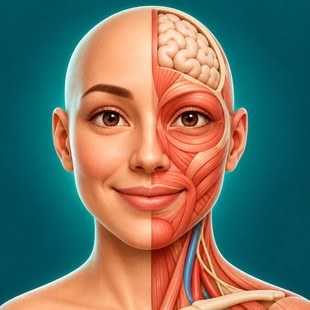
Use a desktop model to ask better anatomy questions
 MustInstall
Try a local vector workflow while keeping experimental limits visible
 MustInstall
Build a spatial presentation around the media and controls you can actually use
 MustInstall
 MustInstall
Put a continuous channel on hosted playback only after checking the service boundary
 MustInstall
A Publisher conversion is a document handoff, not a finished layout
 MustInstall
Evaluate the booking rules before opening the calendar to customers
 MustInstall
Give mixed technical notes a structure that remains visible in files
 MustInstall
Connect piano practice to notation you can question and revisit
 MustInstall
Find a remembered image and keep cleanup decisions in human hands
 MustInstall
Read training, food and recovery as related records, not automatic advice
 MustInstall
 MustInstall
Inspect what a repair recovers before trusting a saved copy
 MustInstall
Connect a revision plan to the mistakes that need another attempt
 MustInstall
 MustInstall
 MustInstall
Treat an internet radio feed as an audio chain you can inspect
 MustInstall
Extract a bank statement while keeping arithmetic and meaning separate
 MustInstall
Build a photo booth around the camera, printer and guests you actually have
 MustInstall
Decorate a personal picture without making the original disposable
 MustInstall
 MustInstall
 MustInstall
Move files between a phone browser and a Windows PC
 MustInstall
Review a crowded photo library without surrendering the final choice
 MustInstall
 MustInstall
Say what you ate, then check what the estimate means
 MustInstall
Make a shared fund understandable to the people behind it
 MustInstall
Read the uncertainty beside a basketball forecast
 MustInstall
Make a travel keepsake while understanding what the export reveals
 MustInstall
Separate your share from the total on a card statement
 MustInstall
Make the record useful before making the streak impressive
 MustInstall
Play a folder-based library without adopting another music service
 MustInstall
Plan the page and inspect the files behind the finished PDF
 MustInstall
Keep tank readings and stocking decisions in one notebook
 MustInstall
Give spending a place before it becomes a surprise
 MustInstall
Compare live coverage with one chosen audio source
 MustInstall
Bring an owned music library to the device or speaker you choose
 MustInstall
Forecast the low point without mistaking a model for a guarantee
 MustInstall
Build a photo story with deliberate crops and a useful final size
 MustInstall
 MustInstall
A small animated clock for the pleasure of watching time pass
 MustInstall
Display a sensor reading without treating a stress estimate as a diagnosis
 MustInstall
Keep family history in a local file with traceable sources
 MustInstall
Adapt a school website without confusing presentation with official records
 MustInstall
Keep common developer transformations close to the work
 MustInstall
 MustInstall
 MustInstall
 MustInstall
 MustInstall
Keep a manual blood-pressure record without confusing it with a measurement
 MustInstall
 MustInstall
Keep an explanation visible as you build it step by step
 MustInstall
 MustInstall
Combine handwriting, PDFs and a retrievable study record
 MustInstall
Shape a calendar view around the accounts you already use
 MustInstall
Put household commitments and shared chores in one place
 MustInstall
 MustInstall
Understand existing card benefits before choosing how to pay
 MustInstall
Bring calendar accounts, tasks and meeting decisions into one view
 MustInstall
No matching stories. Try an app name or a different keyword.