Build a nature-learning ritual
A small learning ritual is easier to repeat when it has a clear start and a manageable question. The Cuckoo Clock and KnowKi can play different roles in a household routine: one offers a visible, audible timekeeping moment, while the other describes structured practice with species found around a chosen place. This guide is based on their official listings, not a tested integration or a claim that the pairing improves learning.
Choose a short period that fits your day and a question you can answer concretely. For example, the aim could be to recognise a few familiar birds on an ordinary walk. Avoid making the routine depend on completing an entire catalogue. The practical starting point is noticing what you already encounter and finding a repeatable way to learn its name.
What it does
The Cuckoo Clock describes an analogue clock that comes alive on the hour with opening doors, movement and a cuckoo moment. It also mentions small details and hidden surprises. You could use that visible moment as a household cue to begin a short activity, provided you first check how the app behaves on the actual device.
Do not assume it is a general reminder system or an alarm for an appointment. The retained description does not establish custom learning schedules, automatic launching of another app or a connection with KnowKi. Agree on the routine separately: when the chosen cue happens, open the learning tool yourself.
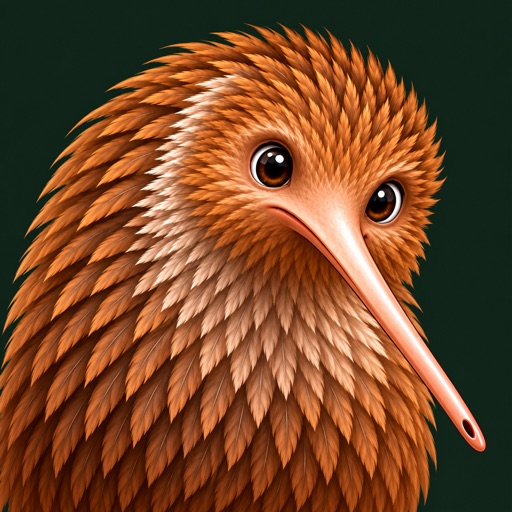
In KnowKi, choose a place and an available species group. The listing describes units of six species, using photographs from research-grade iNaturalist observations near the selected location. Matching practice and checkpoints build the path. For a first session, focus on distinguishing the pictured species rather than rushing to unlock the next group.
The described practice also revisits missed species and returns correct answers over following days. Recall cards ask for a name from a photograph, and recognition across different photographs is part of progress. These are developer-described learning mechanisms. We have not measured recall, checked every photograph or compared the approach with a field guide.
You can also keep a simple paper note of one feature to notice outdoors, such as a wing marking or leaf shape. That note does not need to become another collection to maintain. Its purpose is to help you compare an actual observation with the learning material and ask a more precise question when uncertain.
Before you install
Connect screen practice with observation carefully. On a walk, look for shapes, markings and behaviour that resemble what you studied. A lesson result is not proof that an animal or plant in front of you has been identified correctly. Do not use a quiz or an unconfirmed identification to decide whether something is edible, safe to touch or suitable to approach.
KnowKi's description includes a Fieldbook with introductions, distribution information and progress. Use that as a starting point for questions, while recognising that distribution and appearance do not establish an individual observation. Protected-species locations are described as hidden; respect that boundary and avoid sharing sensitive locations yourself.
If you want to record sightings, the listing describes connecting an iNaturalist username and sharing observations there. Participation is optional to the routine proposed here. Keep your own privacy choices distinct from progress badges, and read the relevant service's terms before uploading a photograph or location.
Plan around connectivity. KnowKi explicitly says lessons need an internet connection, so do not assume a session can continue without service outside. You can practise at home and observe later without making offline lesson access a requirement. Keep the walk itself useful even when the screen stays in a pocket.
Price and access
The retained US listing prices The Cuckoo Clock at $3.99 and shows KnowKi as a free download. Regional prices and access conditions can differ, so check the current official listings before purchasing. We have not verified that every optional capability will remain available without an additional charge.
KnowKi says an account is not needed and describes optional Sign in with Apple for a shared Fieldbook across its supported phone and web experience. Friends features require additional choices. Begin with the least complicated access that serves the learning goal, and assess those social or synchronisation options separately if you later want them.
Our take
The reasoned case for this routine is modest: a recognisable cue, a small set of species and a chance to connect names with everyday surroundings. The clock supplies atmosphere and a possible starting signal; KnowKi supplies the described exercises. Neither listing proves that this combination is necessary or that it will suit every learner.
After a few sessions, judge the routine by whether it creates useful observation and conversation. If the clock distracts, use a quieter cue. If the species group feels too broad, narrow the place or repeat a unit. Curiosity is better served by a name you can recognise in different photographs than by a progress count alone. These are suggestions for evaluating the routine, not a hands-on verdict.